Signing In
Quick Start Guide2025/10/2 9:232026/9/4 15:15Launching VoiSona2025/11/2 12:152026/9/3 14:14Signing In2026/2/4 13:012026/7/5 12:25Selecting a Voice Library2025/11/2 12:152026/7/5 10:17Editing the Score2025/11/2 12:152026/9/4 16:30Adjusting Parameters2025/11/2 12:072026/9/2 7:57Opening and Saving Files2025/11/2 12:072026/9/4 16:46Changing Preferences2025/11/2 12:072026/7/5 11:32Frequently Asked Questions2025/11/2 12:252026/7/5 11:46
By signing in, you can use your subscribed voice libraries.
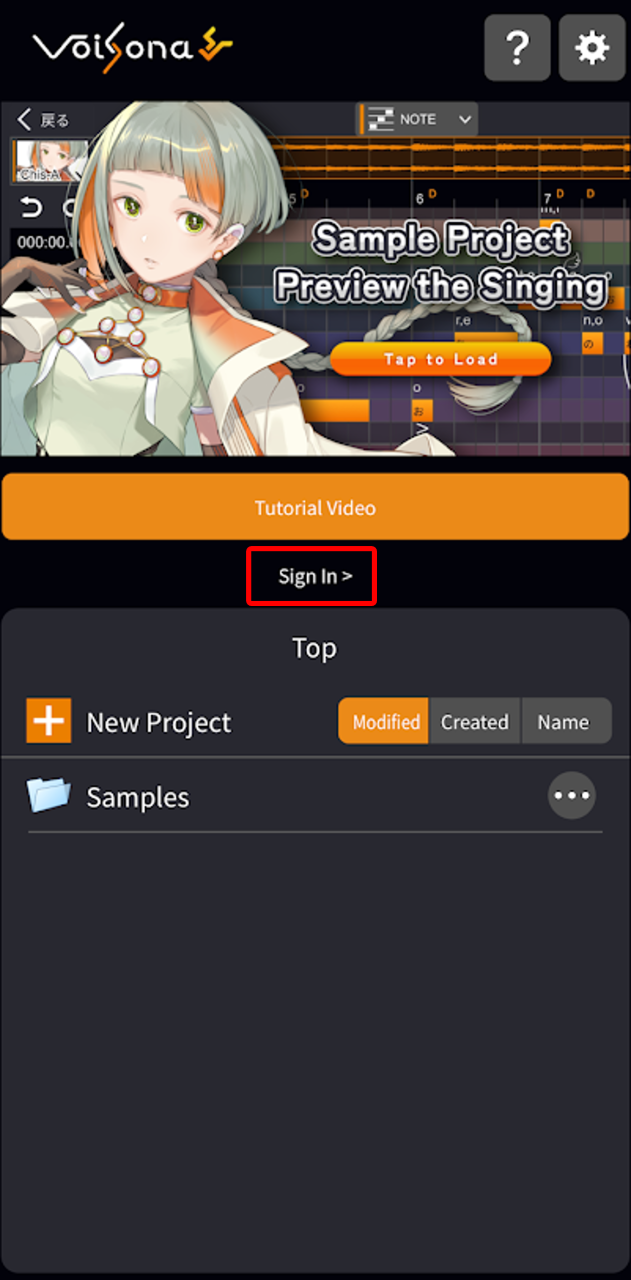
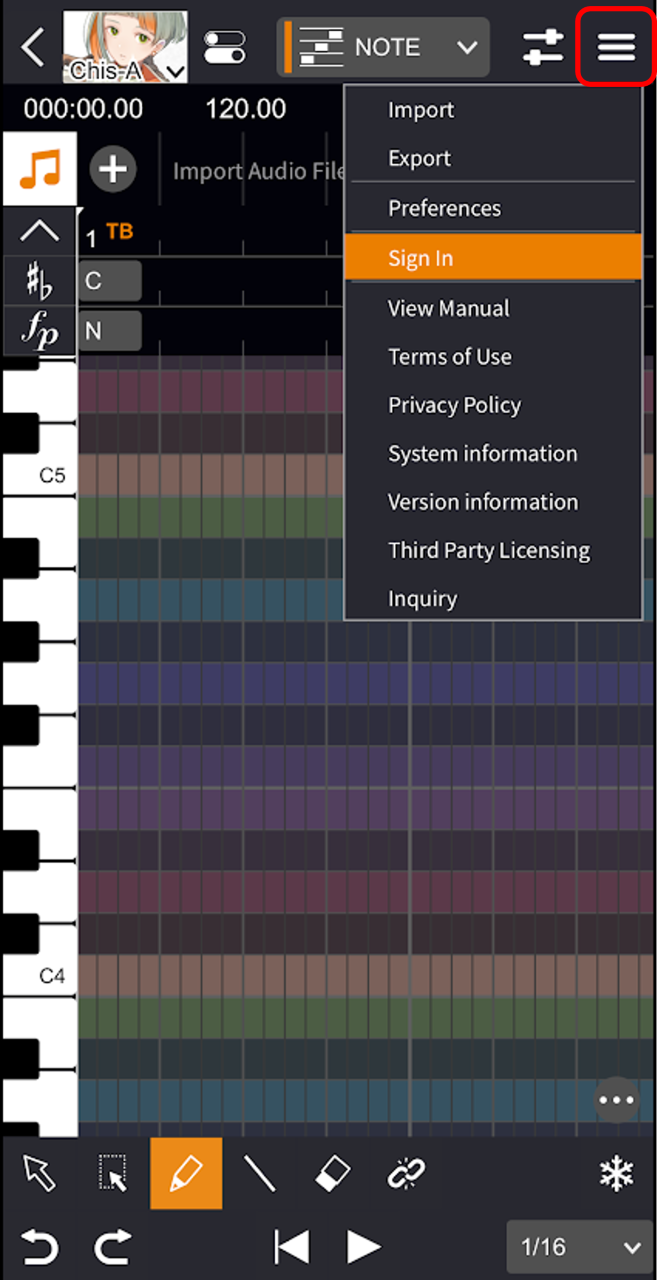
- Select one of the following options:
- On the standalone start screen, select "Sign In >".
- Tap the "Menu" button, then select "Sign In".
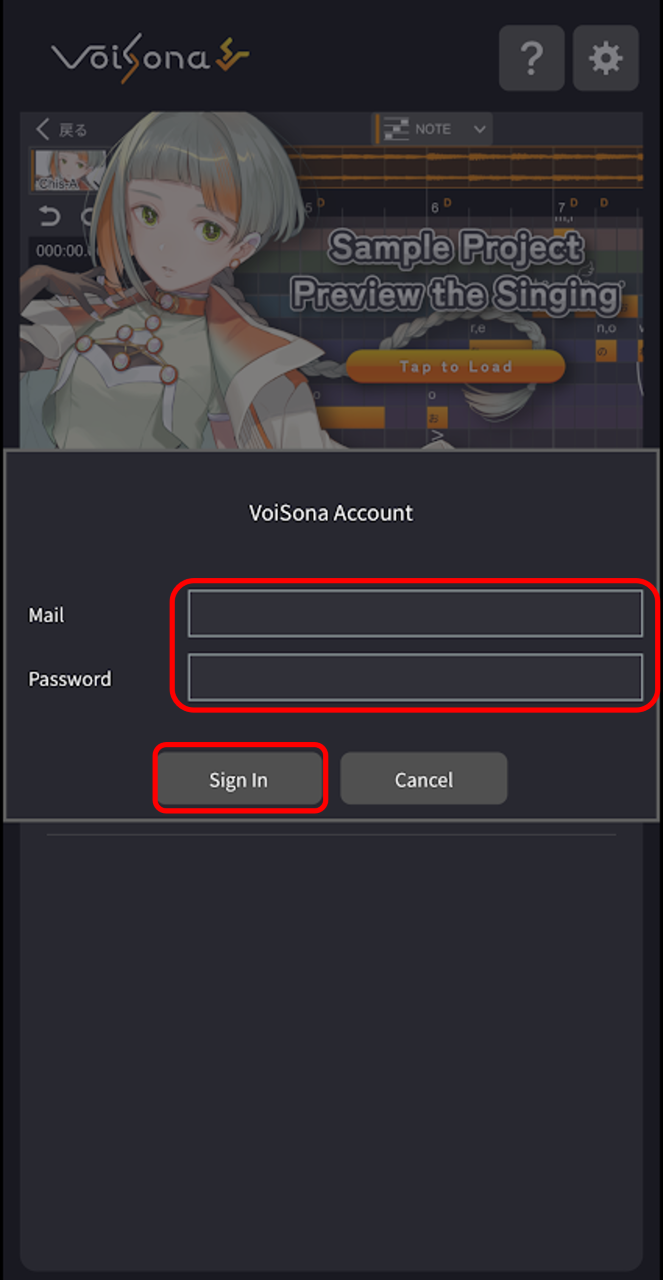
- Enter the email address and password you registered, then tap "Sign In". Once you sign in, the sign-in screen will close.