
Opening and Saving Files
Quick Start Guide2025/10/2 9:232026/9/4 15:15Launching VoiSona2025/11/2 12:152026/9/3 14:14Signing In2026/2/4 13:012026/7/5 12:25Selecting a Voice Library2025/11/2 12:152026/7/5 10:17Editing the Score2025/11/2 12:152026/9/4 16:30Adjusting Parameters2025/11/2 12:072026/9/2 7:57Opening and Saving Files2025/11/2 12:072026/9/4 16:46Changing Preferences2025/11/2 12:072026/7/5 11:32Frequently Asked Questions2025/11/2 12:252026/7/5 11:46
You can import files created in VoiSona or other applications, or export data currently being edited.
Creating a New ProjectOpening a File (.tsmsln)Saving a File (.tsmsln)Importing FilesImporting an Audio FileExporting Files
Creating a New Project
Create a new project and start editing.
- On the start screen, tap "New Project". A new project will be created.
Opening a File (.tsmsln)
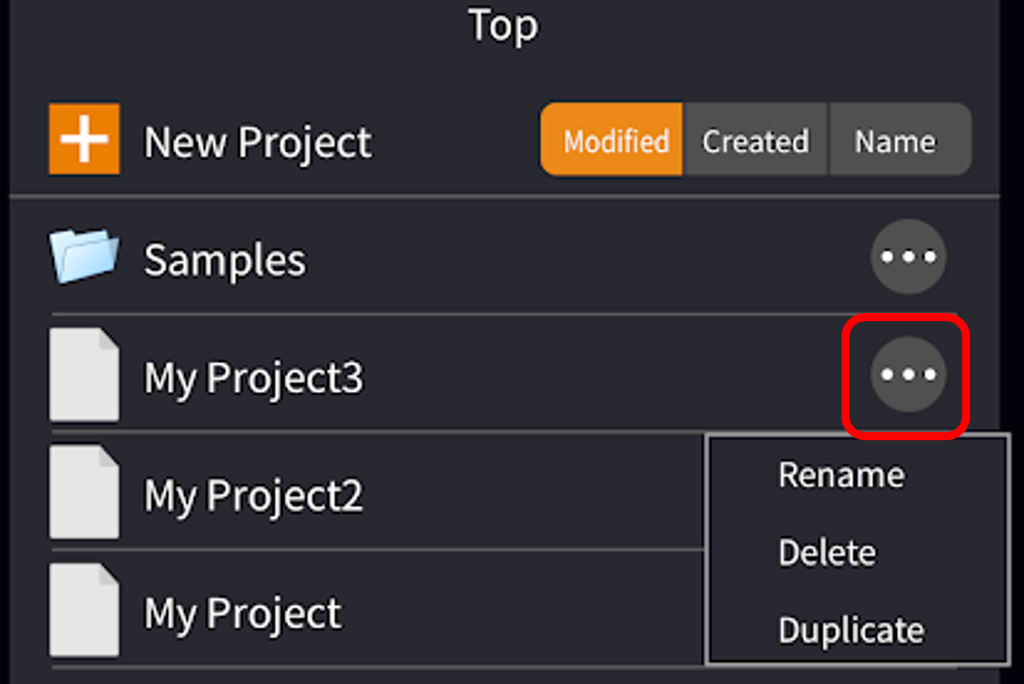
You can open a saved file and resume editing.
- On the start screen, tap the file you want to open in the file list. The selected file will open.
You can also rename, delete, or duplicate projects from the context menu.
Saving a File (.tsmsln)
Your edits are saved automatically (autosave) at certain points.
You do not need to save manually.
Files are automatically saved at the following times:
- When the app moves to the background (when you return to the home screen)
- When you return to the start screen
- When you quit the app completely
Saved project files can be found by opening the Files app and navigating to "On My iPhone (or iPad)" > "VoiSona" > "Projects".
Importing Files
You can import files created in other projects or applications.
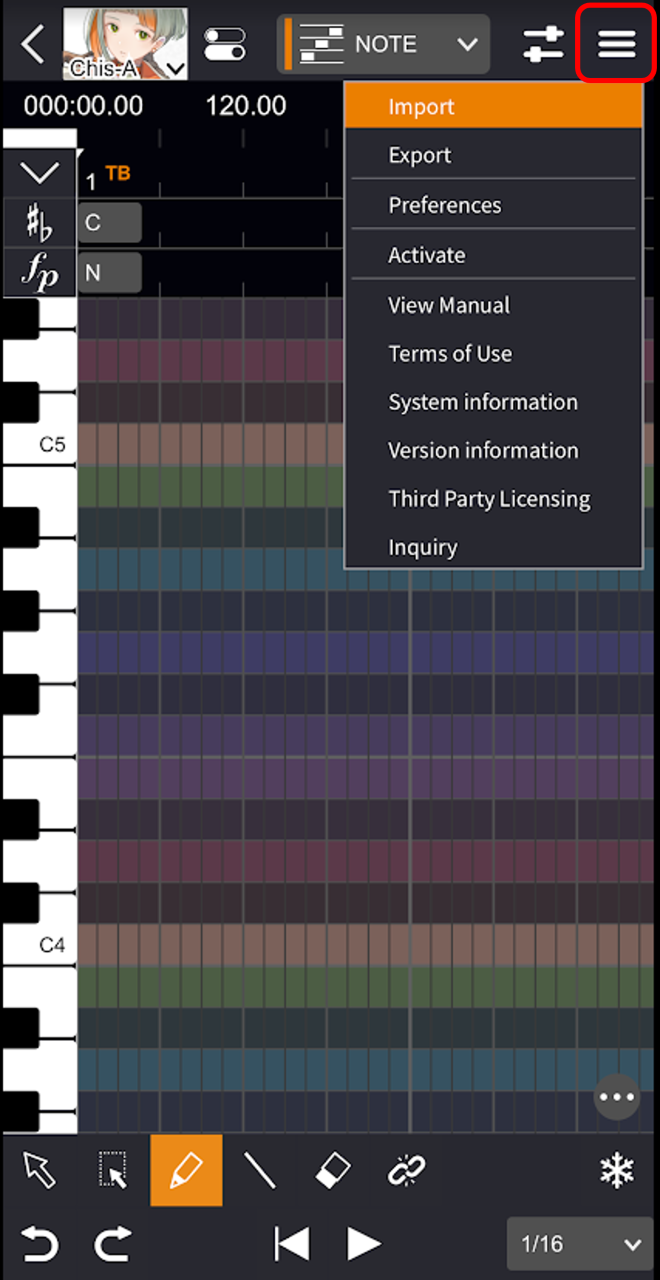
- Tap the "Menu" button and select "Import".
- Select a file. The contents of the imported file will be displayed.
When you select a MIDI or CCS file, the Import Settings screen will appear.
Importable File Formats
- CCS Files saved per project in CeVIO Creative Studio and CeVIO AI. If multiple tracks exist, you can select which track to load.
- CCST Files saved per track in CeVIO Creative Studio and CeVIO AI.
- MusicXML Music notation data files in MusicXML format.
- MIDI Music data files in MIDI format. If multiple tracks exist, you can select which track to load.
- tssprj VoiSona proprietary format project files.
- tsmsln iOS/iPadOS version VoiSona proprietary format project files.
- UST UTAU vocal data files.
- SVP Synthesizer V project files.
Importing an Audio File
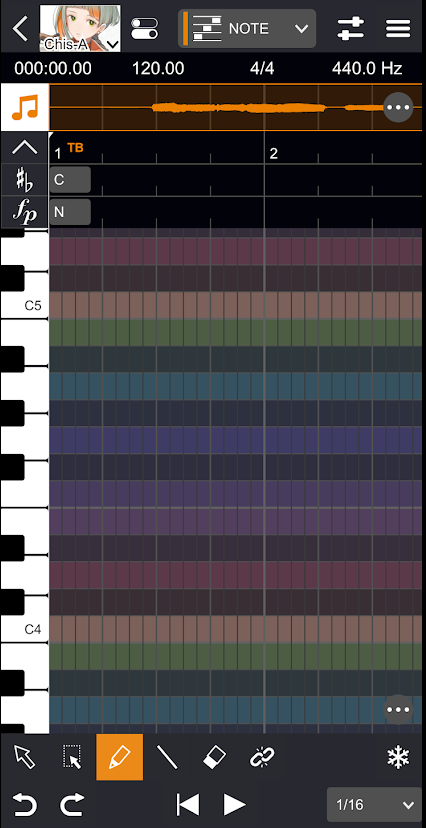
When using the application standalone, you can import audio files into the audio track.
Audio tracks can be toggled on or off by tapping the toggle icon.
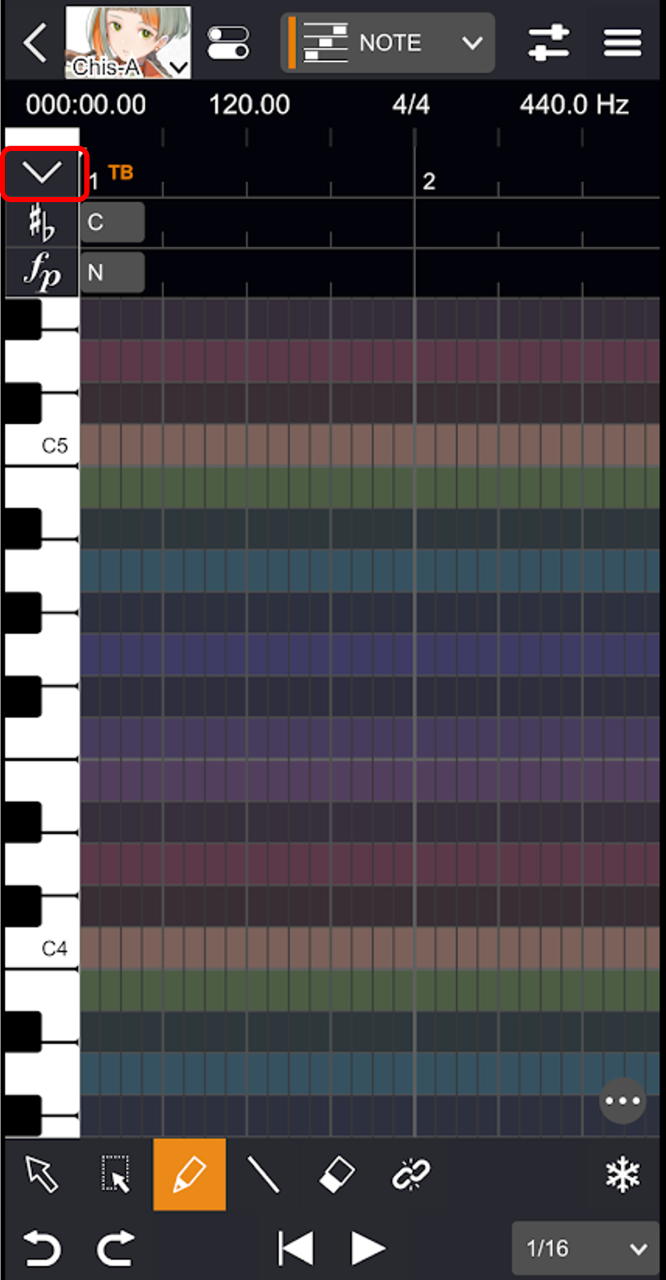
- Tap the "+" button on the audio track.
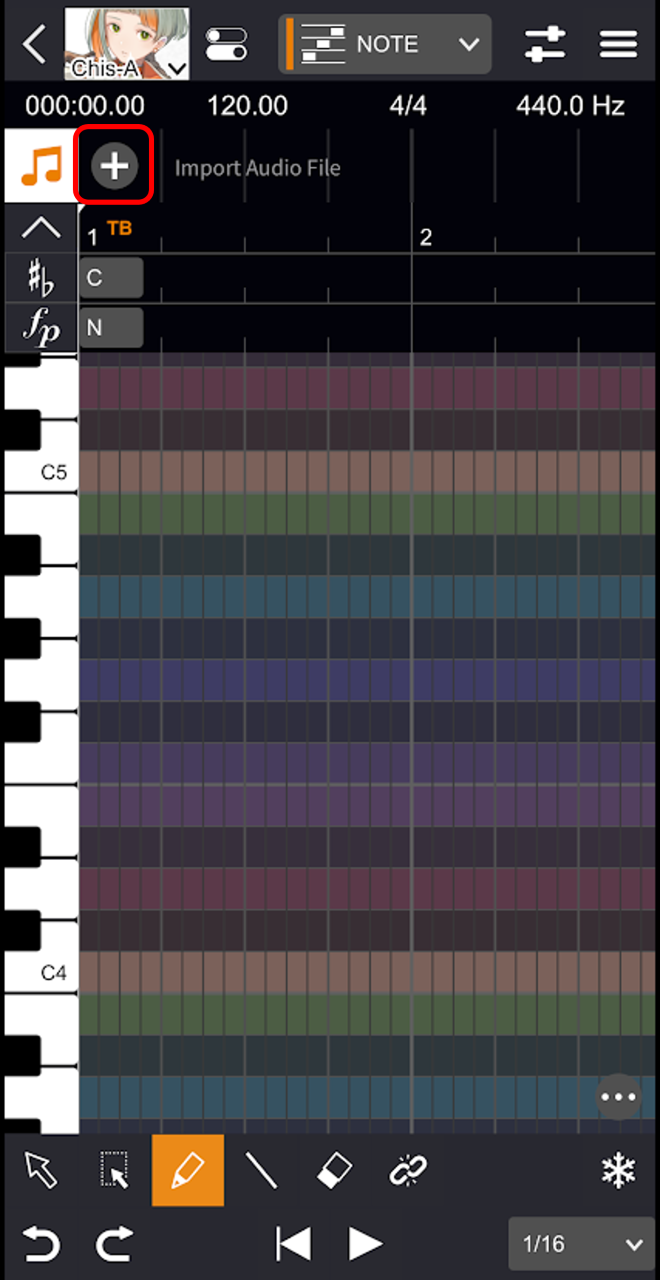
- Select a file. An audio file will be imported.
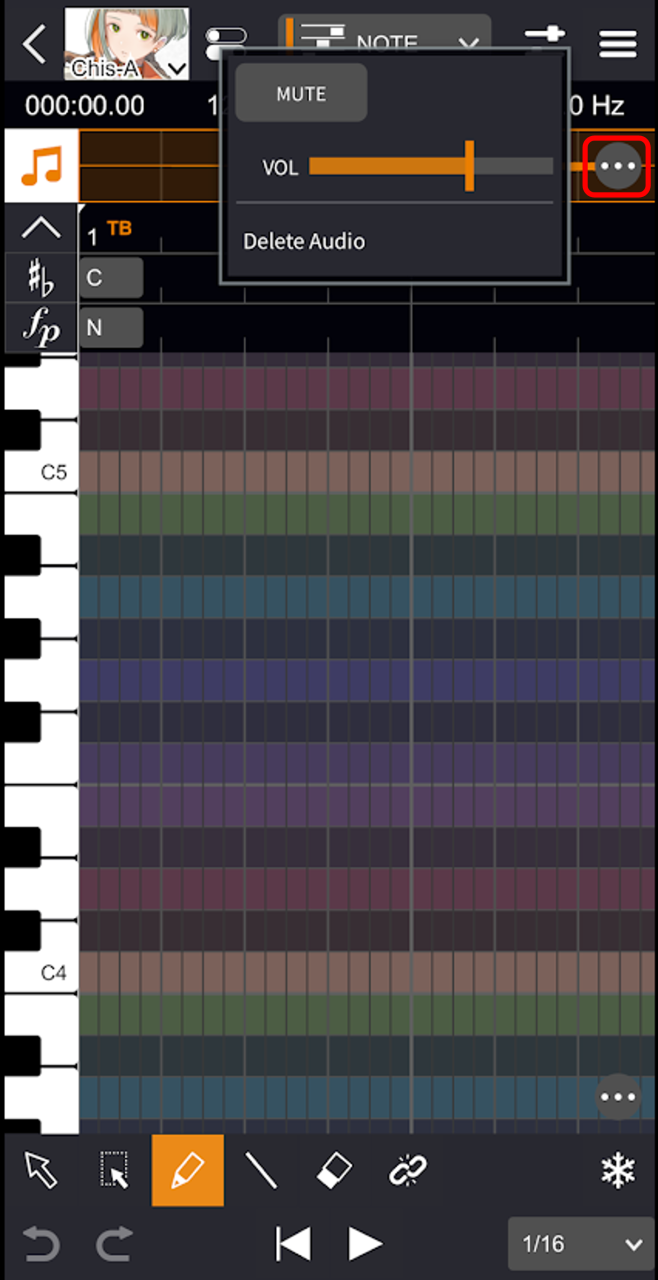
Tapping the “context menu” allows you to toggle mute, adjust the volume, and remove the audio.
Exporting Files
You can export files for use in other projects or other applications.
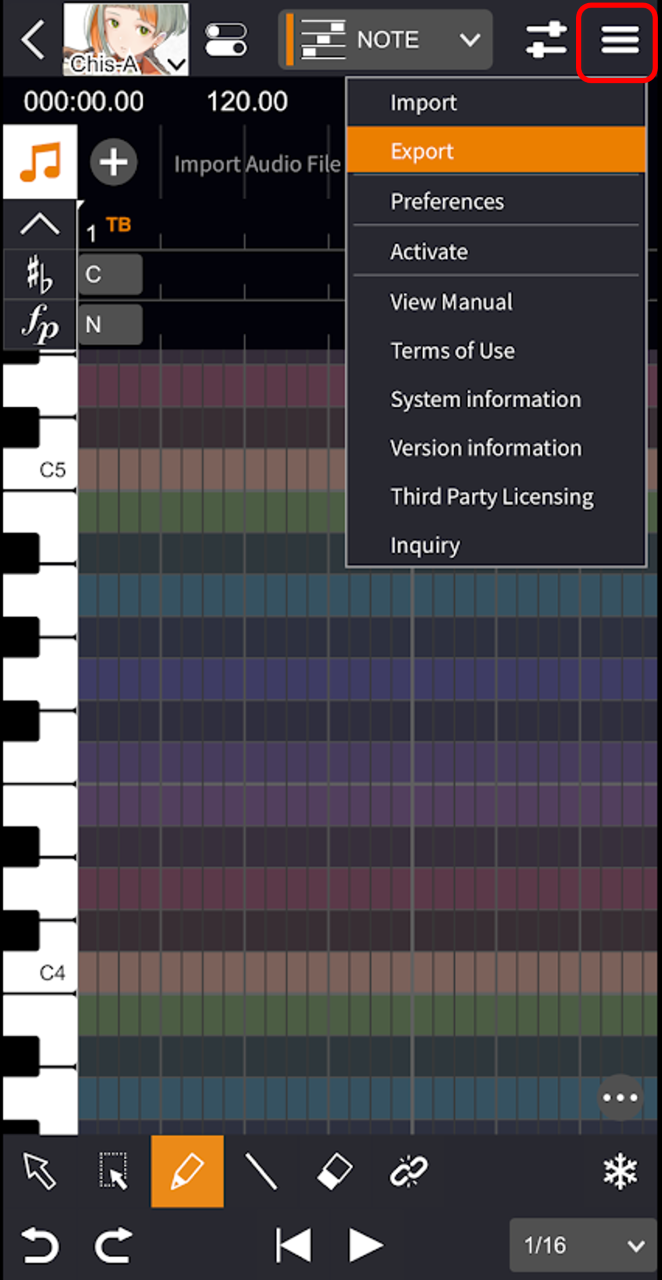
- Tap the "Menu" button and select "Export".
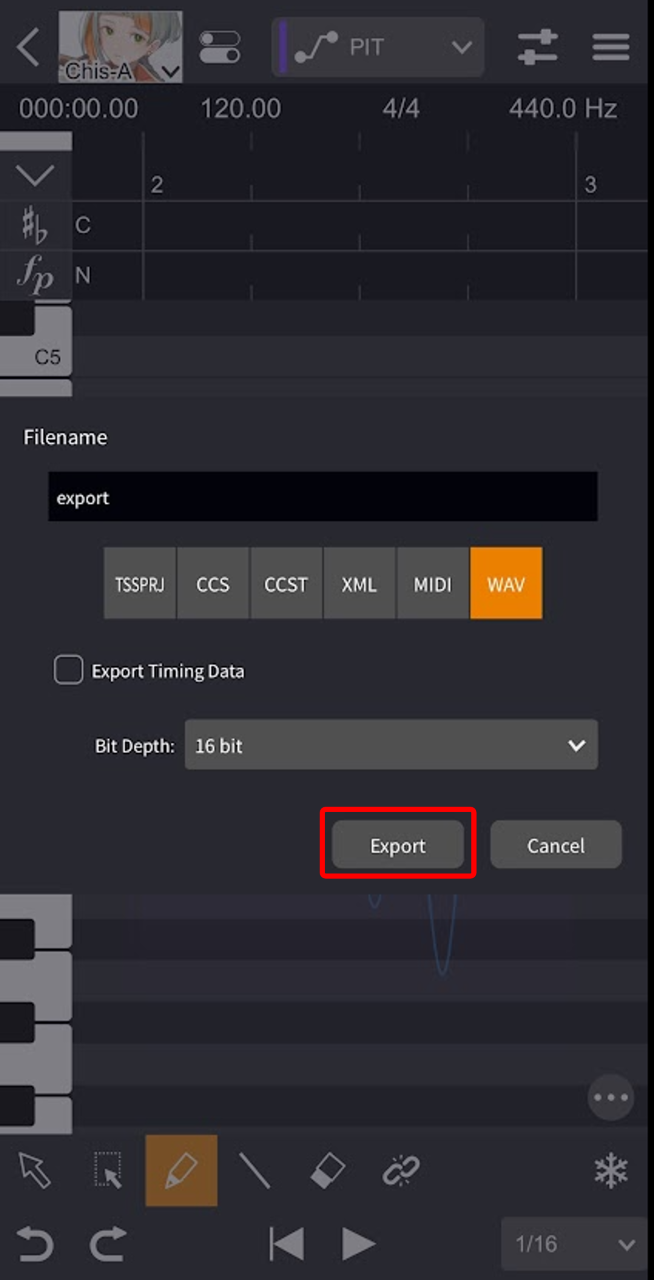
- Specify the file name, file format, etc. in the settings screen, then tap "Export". It will be saved in the "VoiSona" folder under "Browse" in the "Files" app.
The "VoiSona" folder appears in the "Files" app only after you launch VoiSona (standalone version) once.
Exportable File Formats
- TSSPRJ VoiSona’s proprietary project file format. The voice library selection is also saved.
- CCS CeVIO Creative Studio or CeVIO AI project file.
- CCST CeVIO Creative Studio or CeVIO AI project file.
- XML Music notation data files in MusicXML format. Adjustment parameters are not included.
- MIDI Music data files in MIDI format. Adjustment parameters are not included.
- WAV Rendered vocal audio.
Additionally, ticking the box for "Export Timing Data" will also output the Lab file simultaneously.