Quick Start Guide
Quick Start Guide2025/10/2 9:232026/9/5 16:27Installing VoiSona2025/11/3 8:252026/1/5 10:39Launching VoiSona2025/11/2 12:152026/7/1 13:55Signing In2025/11/2 12:152026/7/2 14:11Selecting a Voice Library2025/11/2 12:152026/9/5 9:20Editing the Score2025/11/2 12:152026/9/4 16:37Adjusting Parameters2025/11/2 12:152026/7/2 13:10Opening and Saving Files2025/11/2 12:152026/9/5 8:41Changing Preferences2025/11/2 12:152026/7/2 13:35Frequently Asked Questions2025/11/2 12:152026/7/2 13:56
For those using VoiSona for the first time, we introduce the basic operations.
- Launch VoiSona.
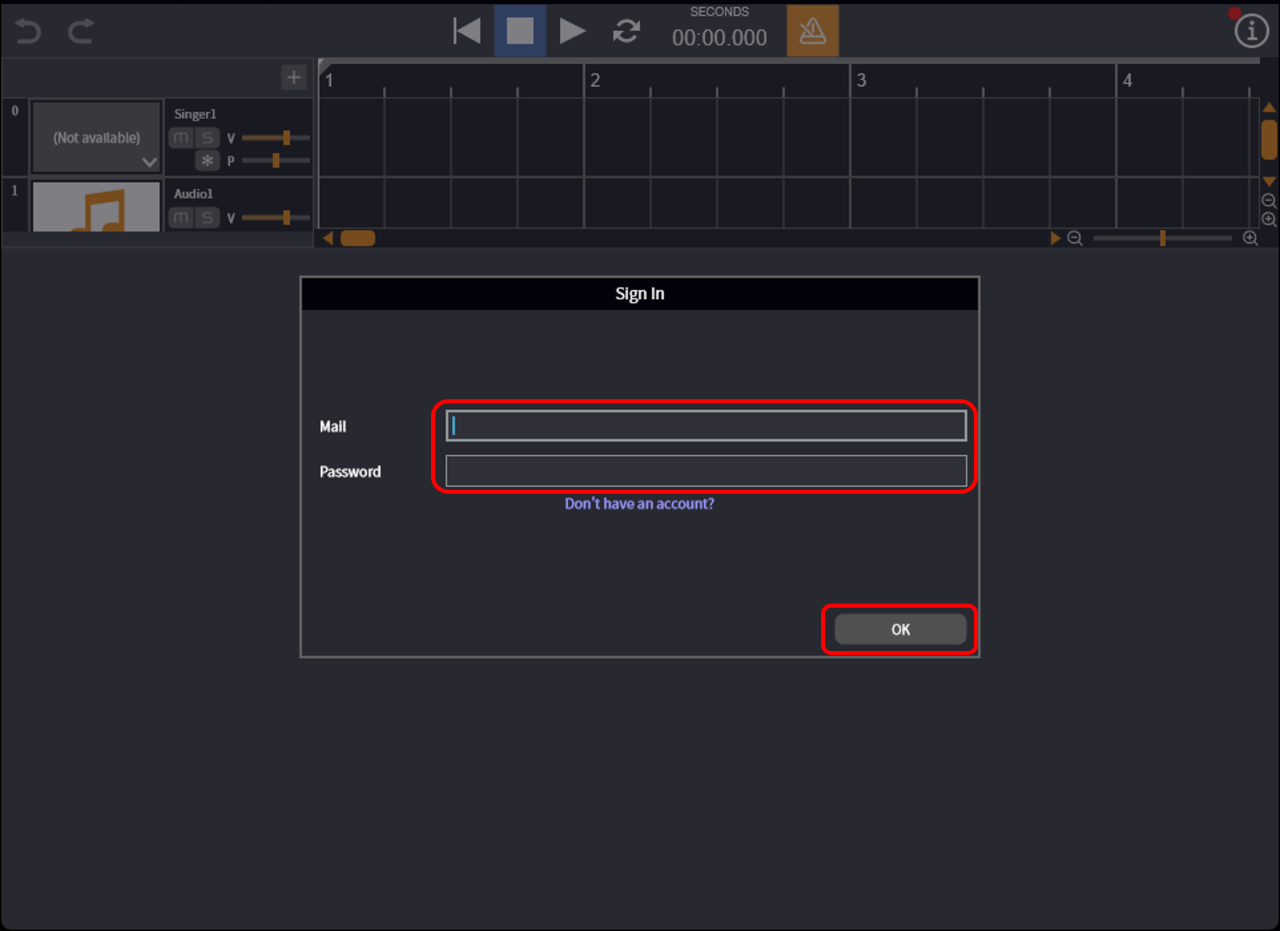
- Enter the registered email address and password, then click "OK".
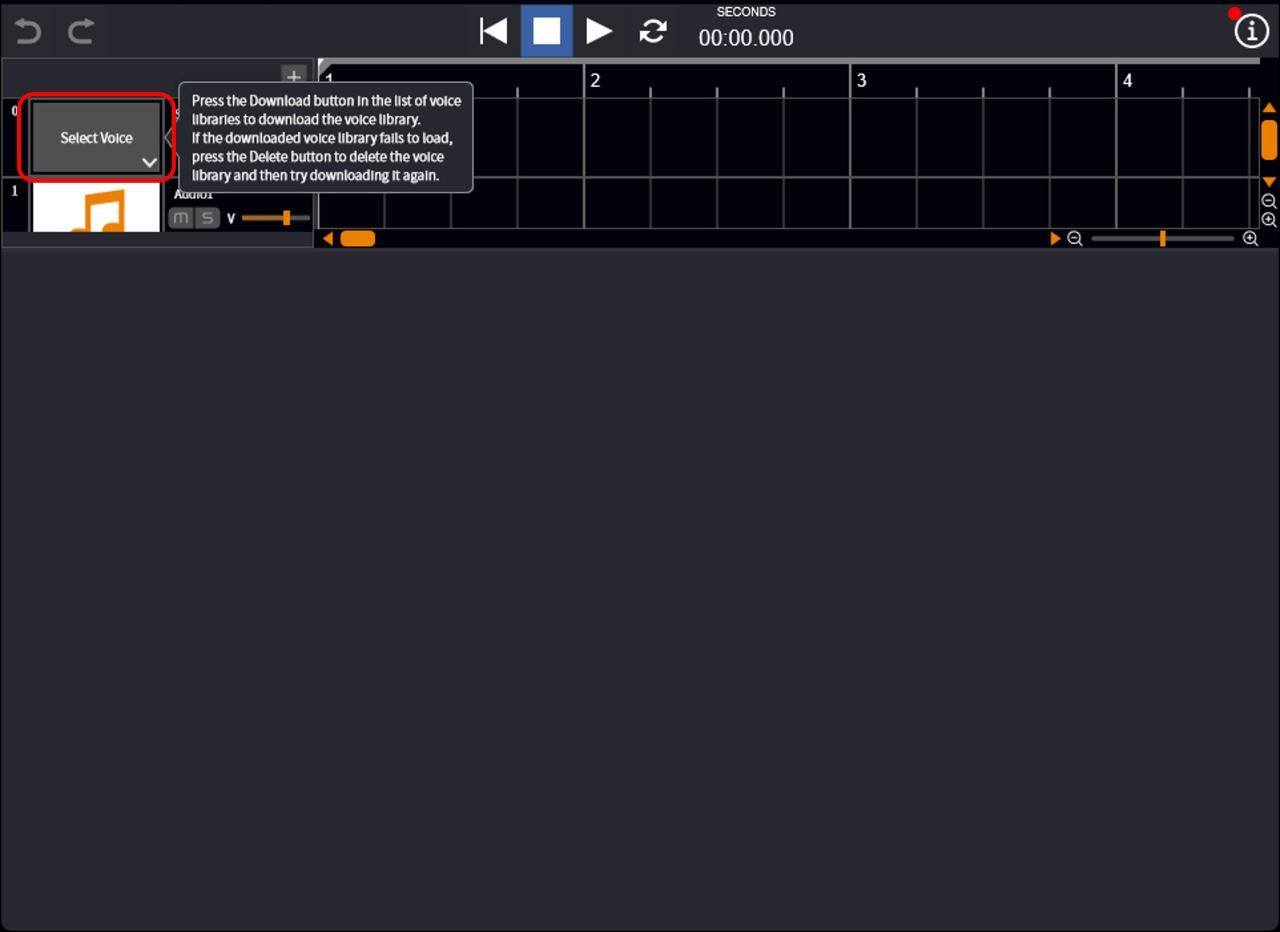
- Click the area where "Select Voice" is displayed. The voice library selection screen will appear.
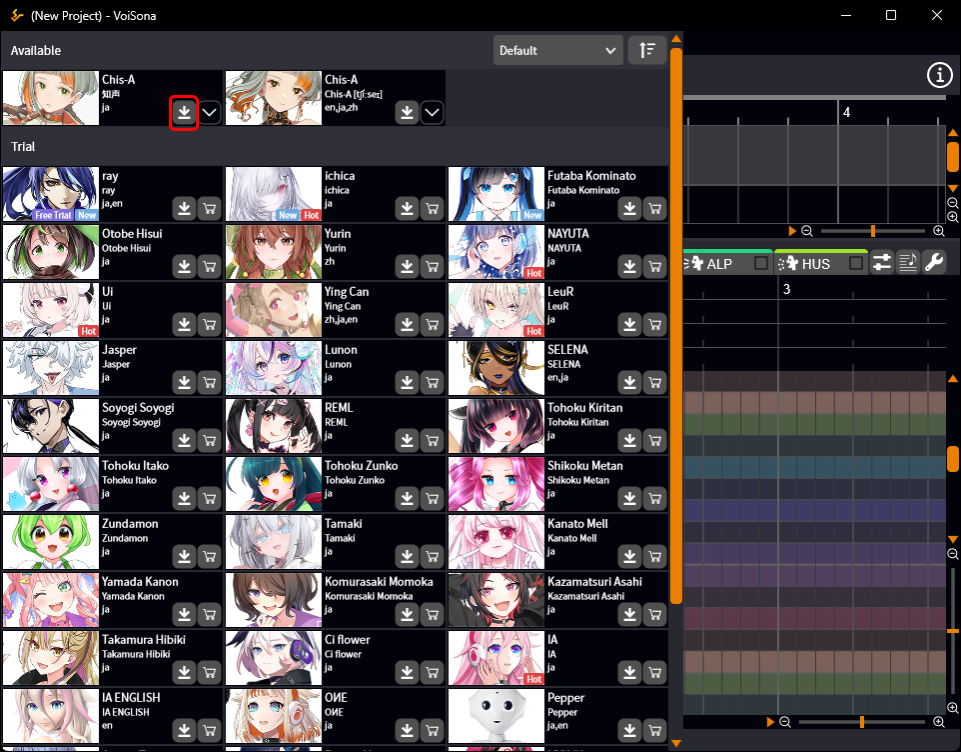
- Click the "Download Voice Library" button. The download of the voice library will begin. When the download is complete, the score editing screen will be displayed, and the image of the selected voice library will be shown.
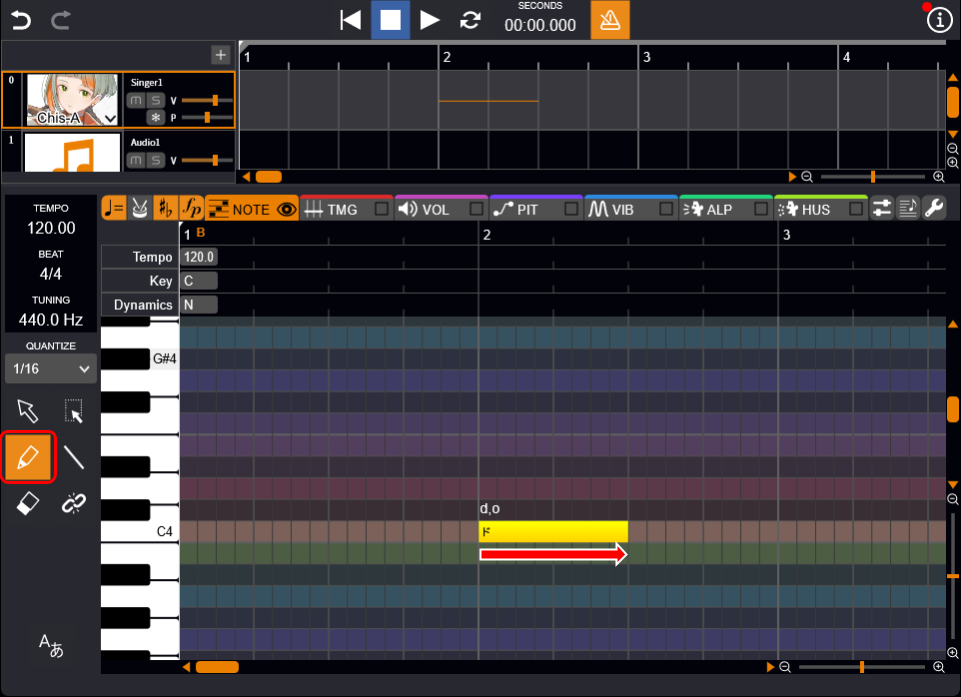
- Drag the piano roll. A note is added.
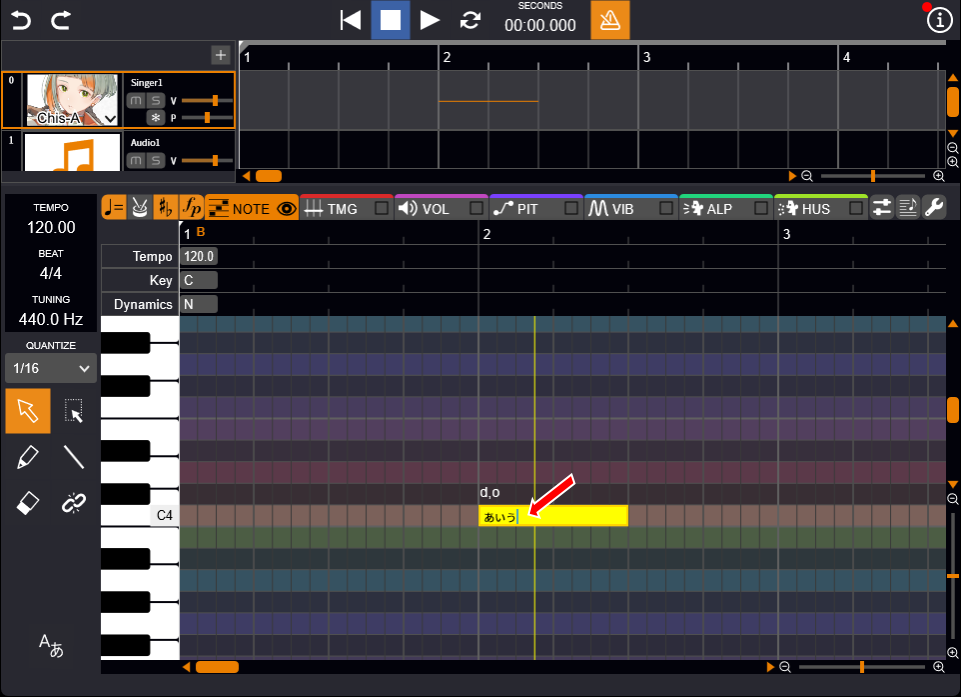
- Double-click the note, enter text, and confirm with Enter. The lyric will change.
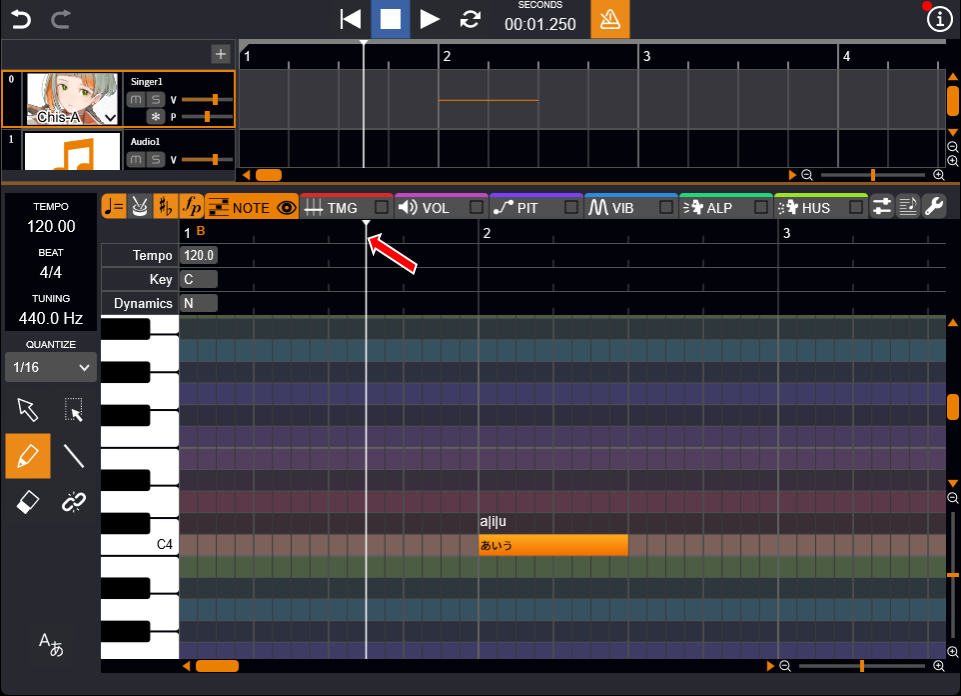
- Click the ruler displayed at the top of the piano roll. The position cursor moves.
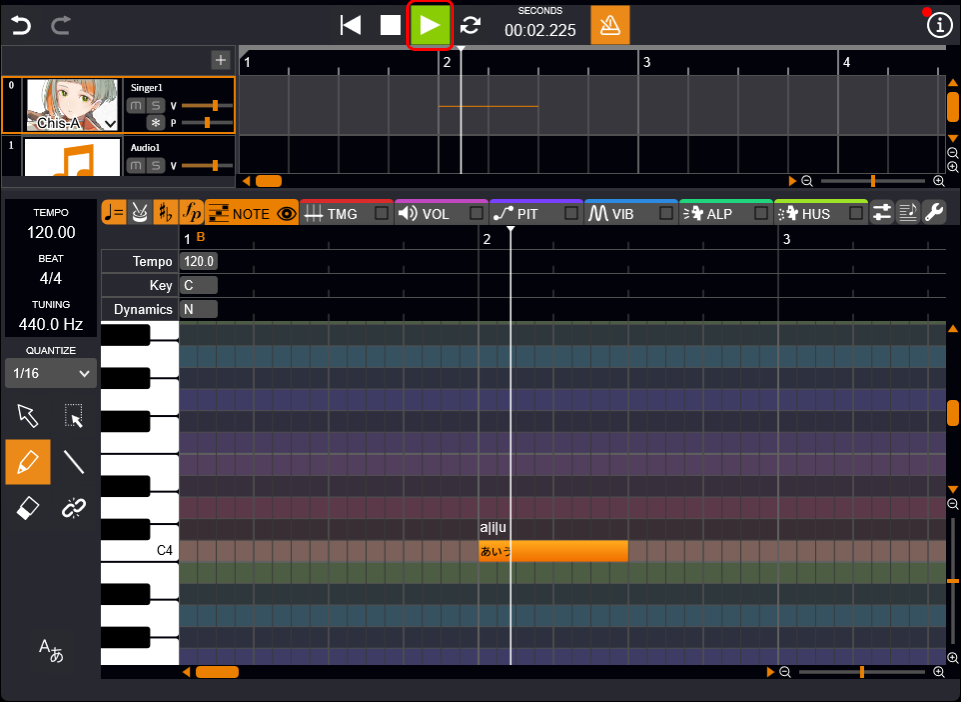
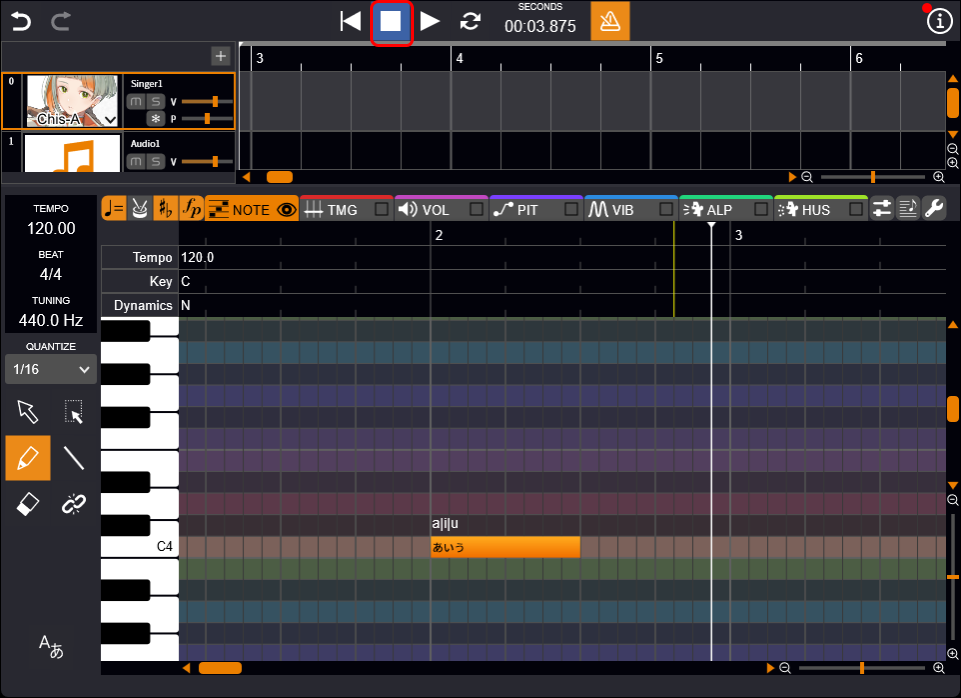
- Click the "Play" button. The score progresses from the position cursor and the audio plays.
- Click the "Stop" button. The score playback stops at the position cursor.
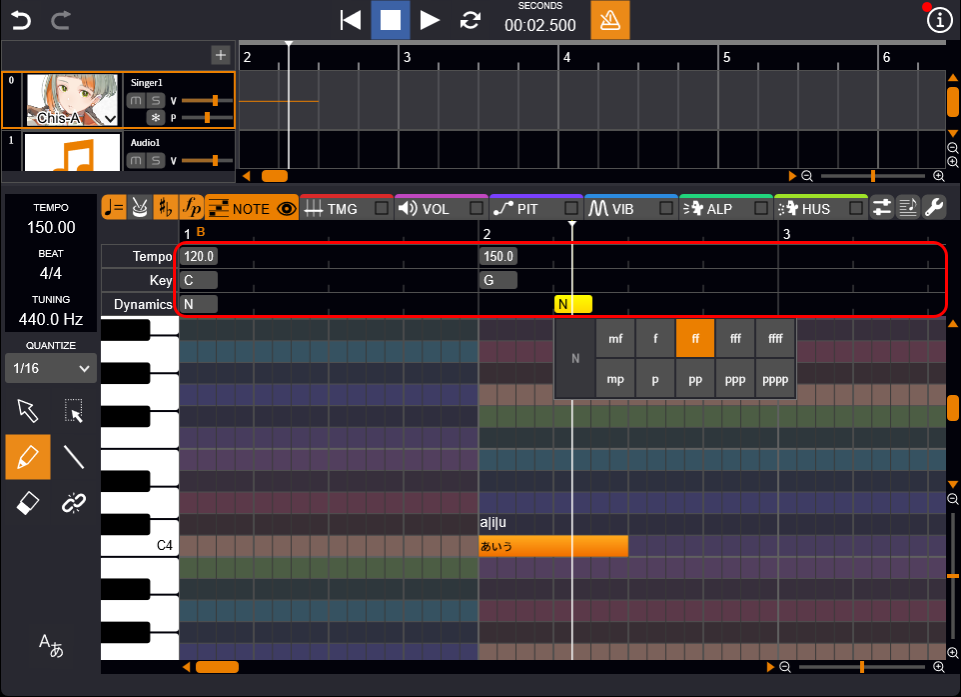
- Double-click the row at the top of the piano roll, and select the item you want to set. The symbol corresponding to the double-clicked row will be set.
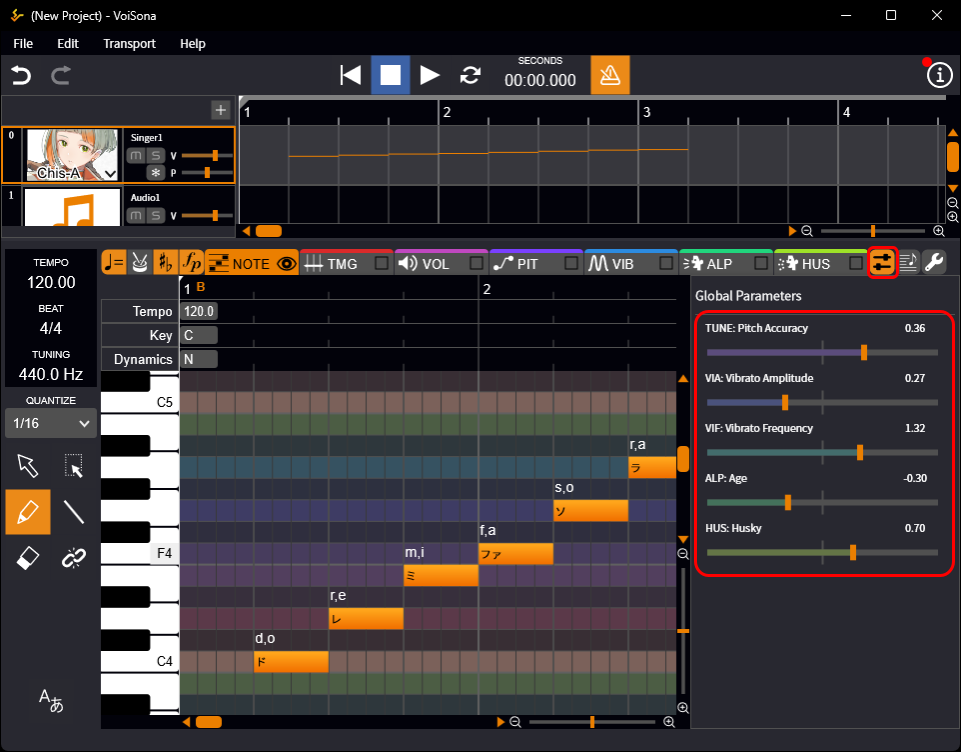
- Click the "Parameter" button. The global parameters are displayed.
- Drag the sliders for "TUNE", "VIA", "VIF", "ALP", and "HUS". Parameters affecting the entire song are adjusted.
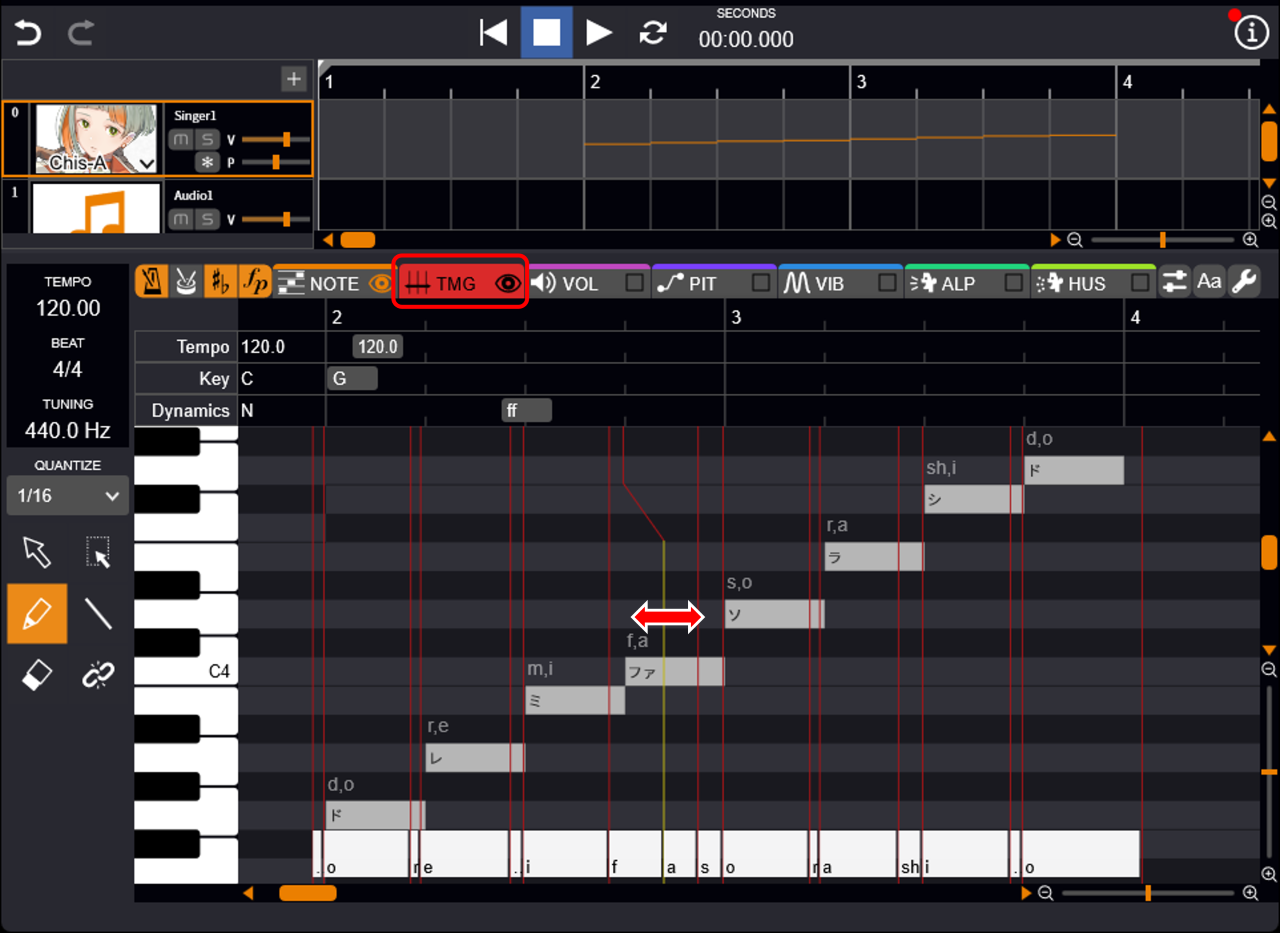
- Click the "TMG" tab.
- Drag the red line left and right. The timing of the phoneme start and end is adjusted.
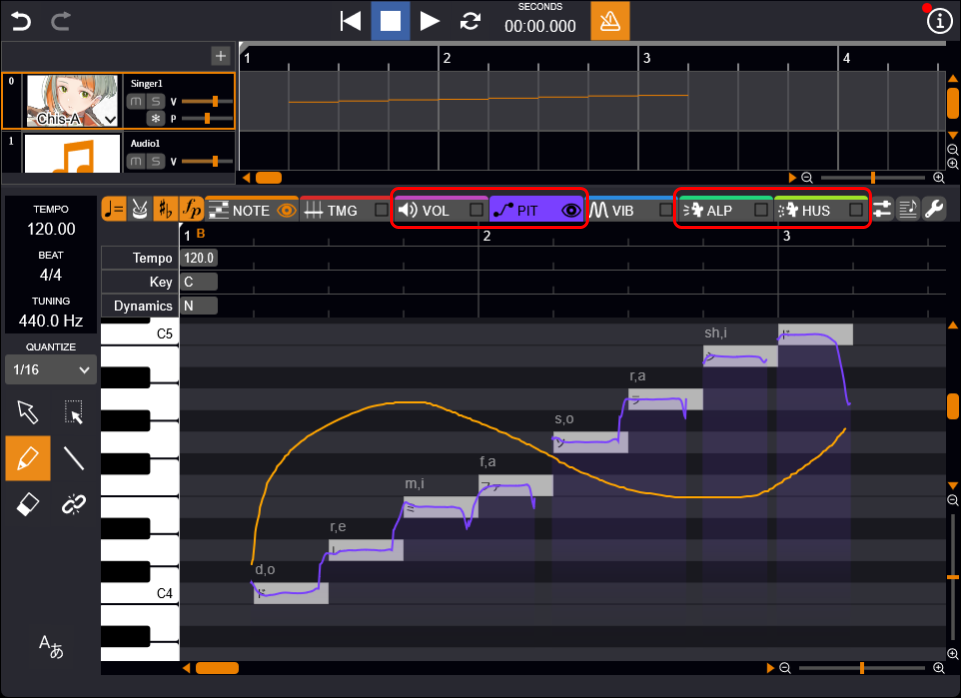
- Click the "VOL", "PIT", "ALP", or "HUS" tab.
- Draw lines freely. Each parameter is finely adjusted.
- Click the "VIB" tab.
- Draw lines freely. A rectangular area is created.
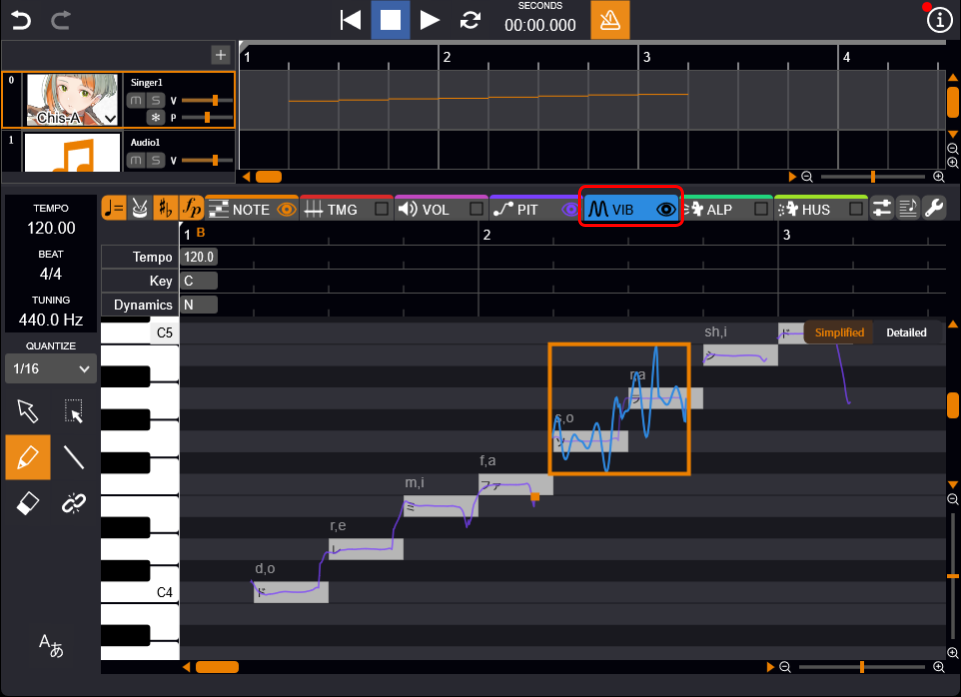
This area can be used to adjust amplitude, period, etc.
For detailed instructions, see Adjusting Vibrato.
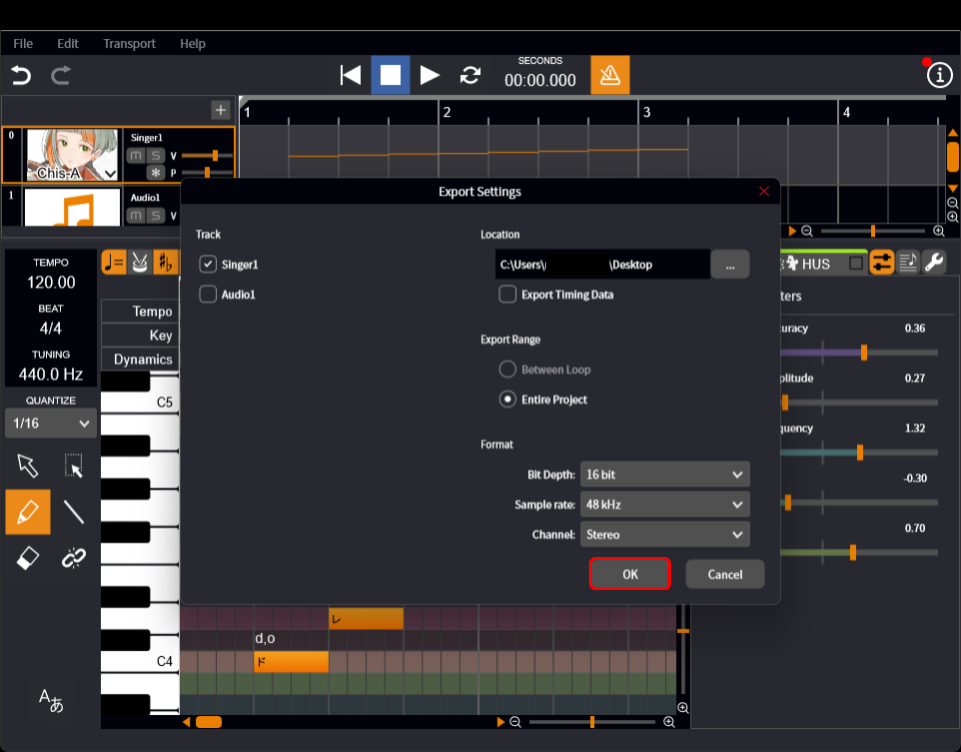
- In the menu bar, select "File" > "Export" > "WAV...".
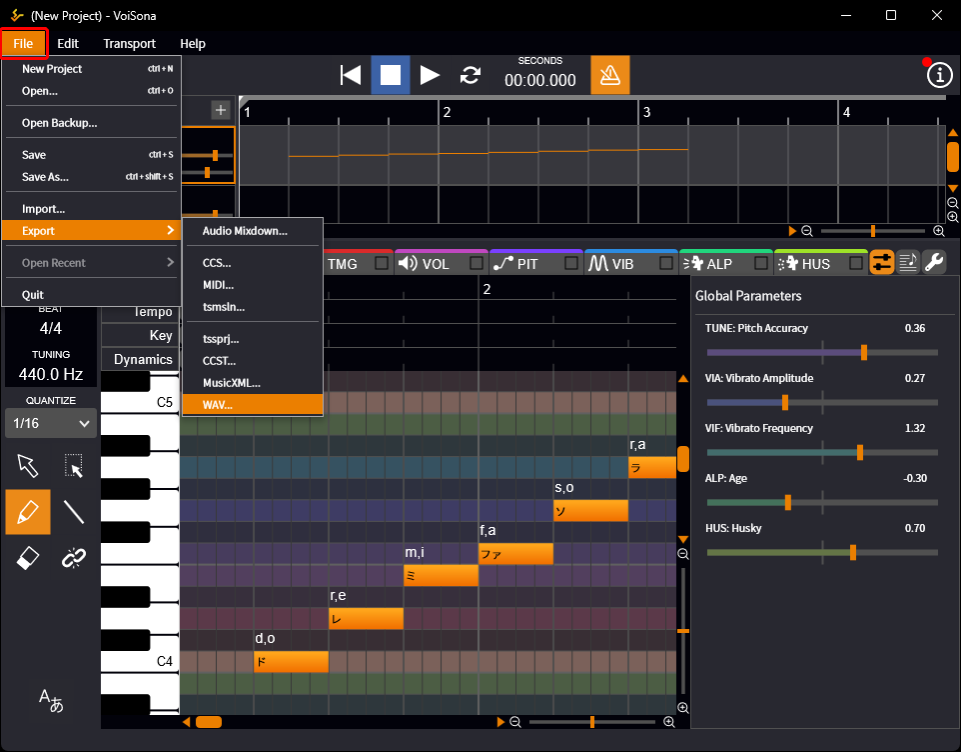
- Click "OK" on the settings screen. The WAV file is saved in the specified location.