Changing Preferences
Quick Start Guide2025/10/2 9:232026/9/5 16:27Installing VoiSona2025/11/3 8:252026/1/5 10:39Launching VoiSona2025/11/2 12:152026/7/1 13:55Signing In2025/11/2 12:152026/7/2 14:11Selecting a Voice Library2025/11/2 12:152026/9/5 9:20Editing the Score2025/11/2 12:152026/9/4 16:37Adjusting Parameters2025/11/2 12:152026/7/2 13:10Opening and Saving Files2025/11/2 12:152026/9/5 8:41Changing Preferences2025/11/2 12:152026/7/2 13:35Frequently Asked Questions2025/11/2 12:152026/7/2 13:56
You can change language settings, overall editor behavior, shortcut key assignments, and more.
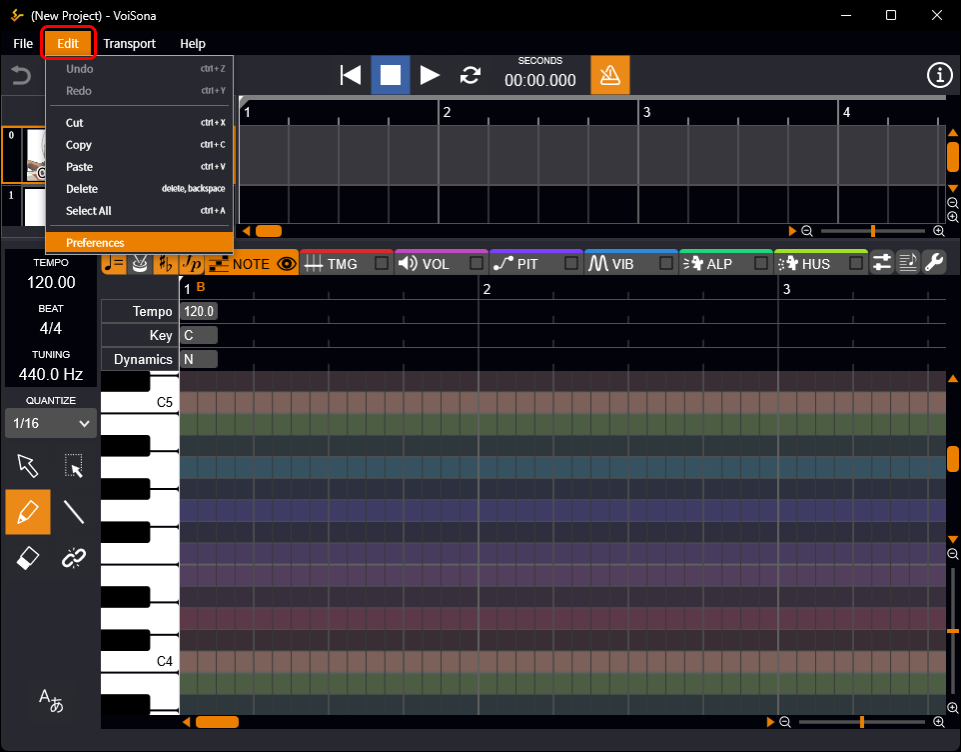
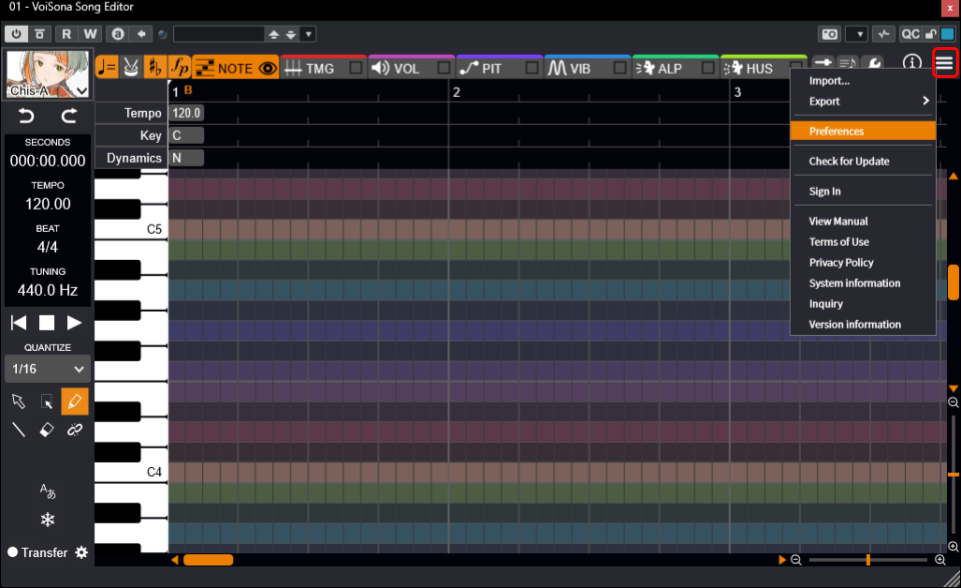
- Select the following items.
- Standalone From the menu bar, select "Edit" > "Preferences".
- Instrument Plug-in, ARA Plug-in Click the "Menu" button and select "Preferences".
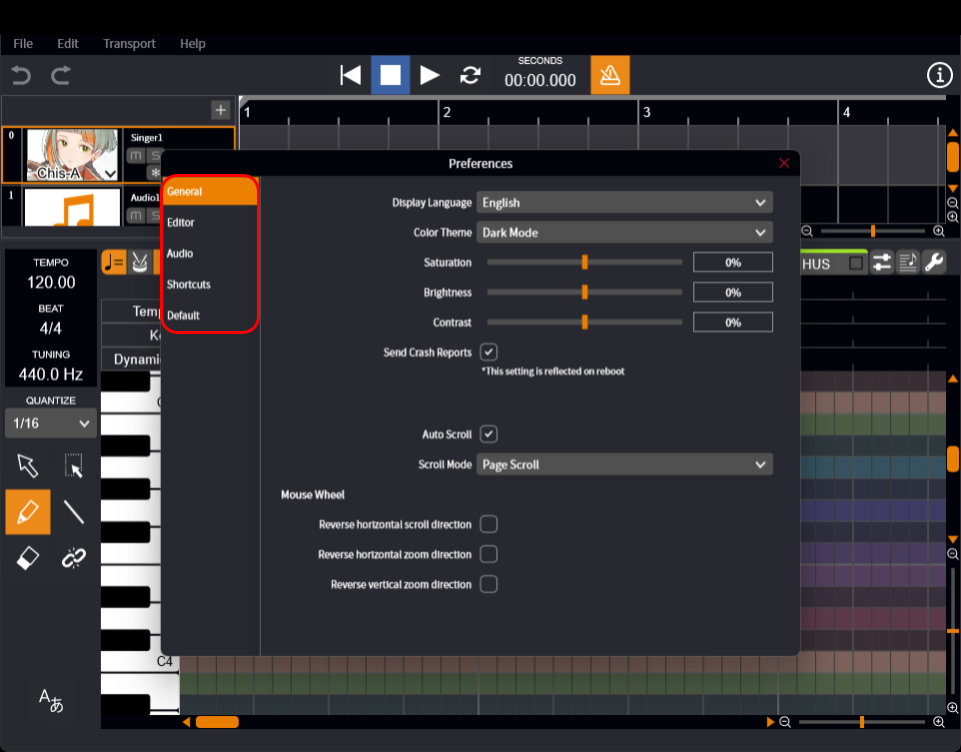
- Switch between the tabs on the left to adjust various settings.
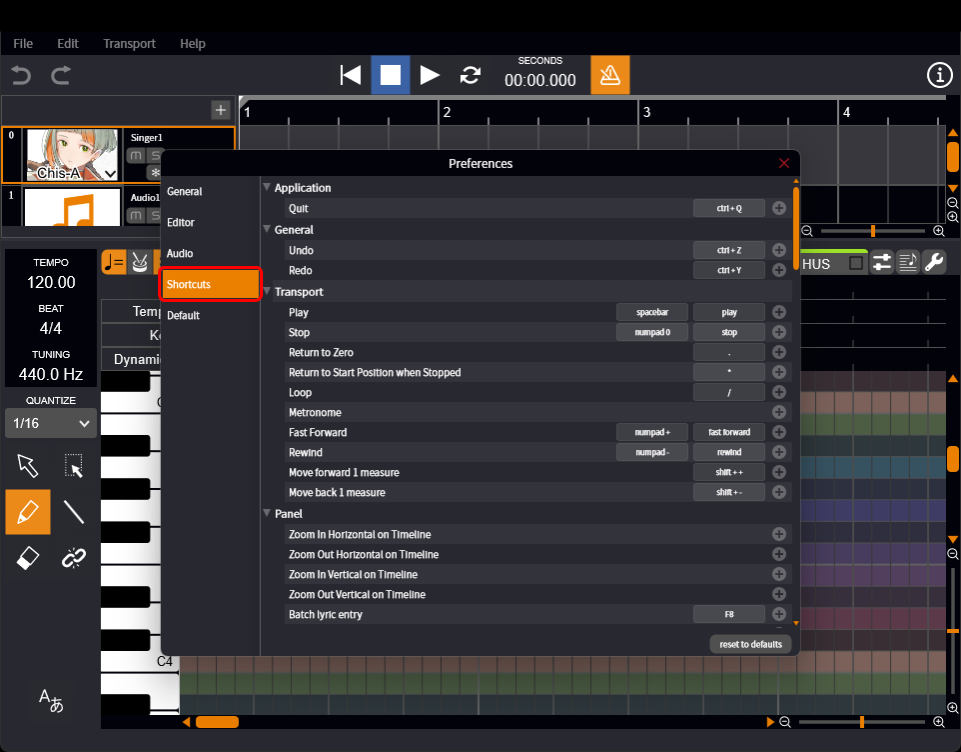
On the "Shortcuts" settings screen, you can freely assign keys to different operations.
Using shortcut keys can significantly improve your workflow, so please make use of them.