
Installing VoiSona Talk
Quick Start Guide2025/10/2 9:232026/10/5 10:08Installing VoiSona Talk2025/11/3 7:492026/9/1 15:12Signing In2025/11/3 7:492026/9/1 15:19Creating, Opening, and Saving Projects2026/10/2 10:252026/10/2 10:26Selecting a Voice Library2025/11/3 7:492026/9/1 15:28Entering Sentences2025/11/3 7:492026/9/1 16:49Playing Back Sentences2026/9/1 15:022026/9/1 15:04Editing Sentences (Japanese Voice Libraries)2025/11/3 7:492026/10/2 5:05Editing Sentences (English Voice Libraries)2026/10/5 16:182026/10/2 5:17Adjusting Parameters2025/11/3 7:492026/10/1 6:47Importing and Exporting Files2025/11/3 7:482026/10/4 17:18Setting Preferences2025/11/3 7:482026/10/4 17:19REST API Tutorial2025/11/3 7:482026/10/4 12:46Frequently Asked Questions (FAQ)2025/11/3 7:472026/10/3 13:55
To use VoiSona Talk, first install the application.
Updates follow the same procedure as installation.
Perform this while your PC is connected to the internet.
- Go to the DOWNLOAD page and sign in.
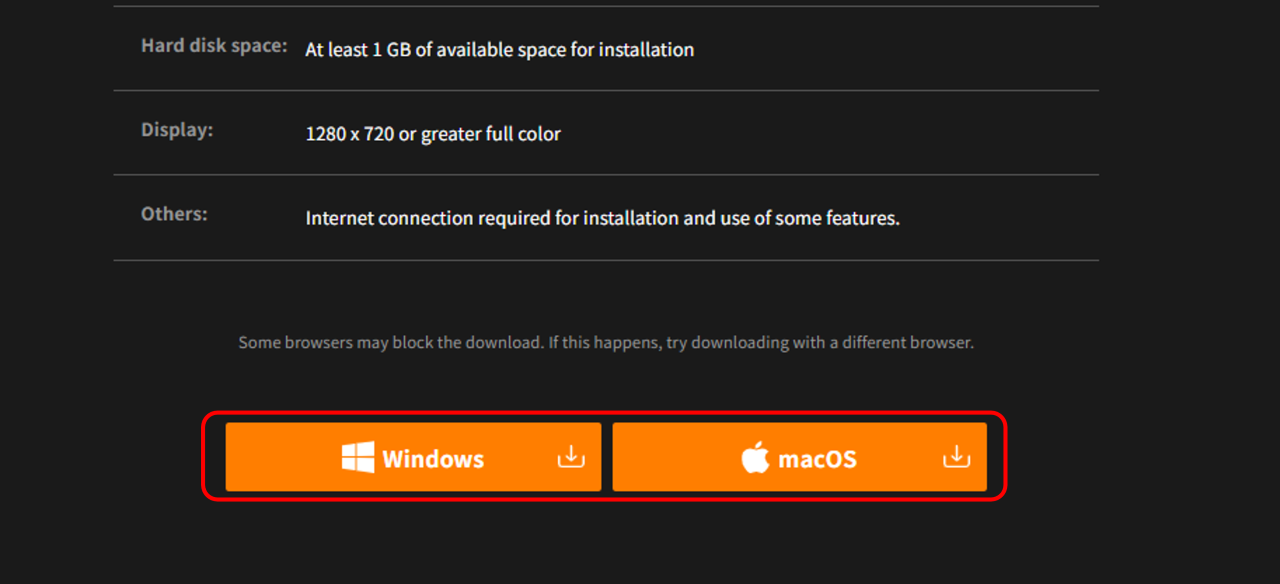
- Click either the "Windows" or the "macOS" button. The latest version of the installer is downloaded.
- Open the downloaded installer.
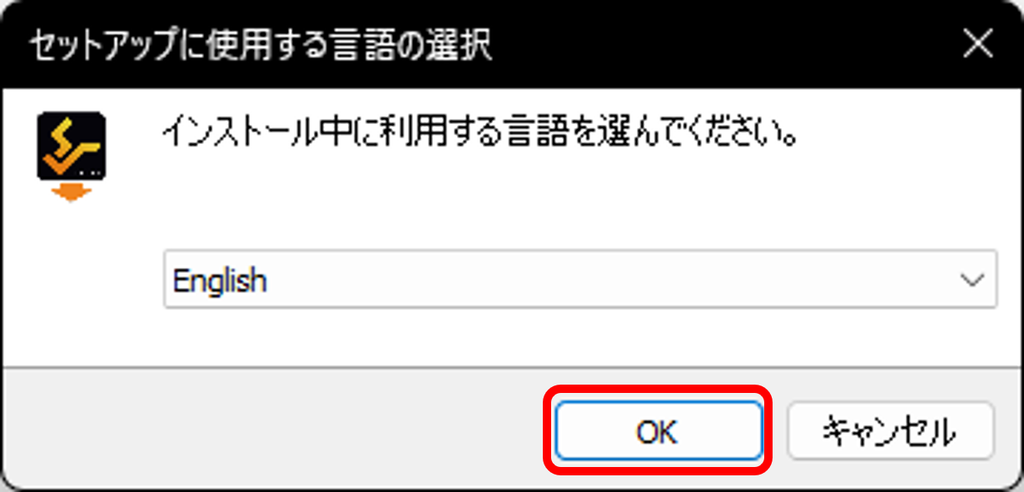
- Select the language to use during installation and click "OK".
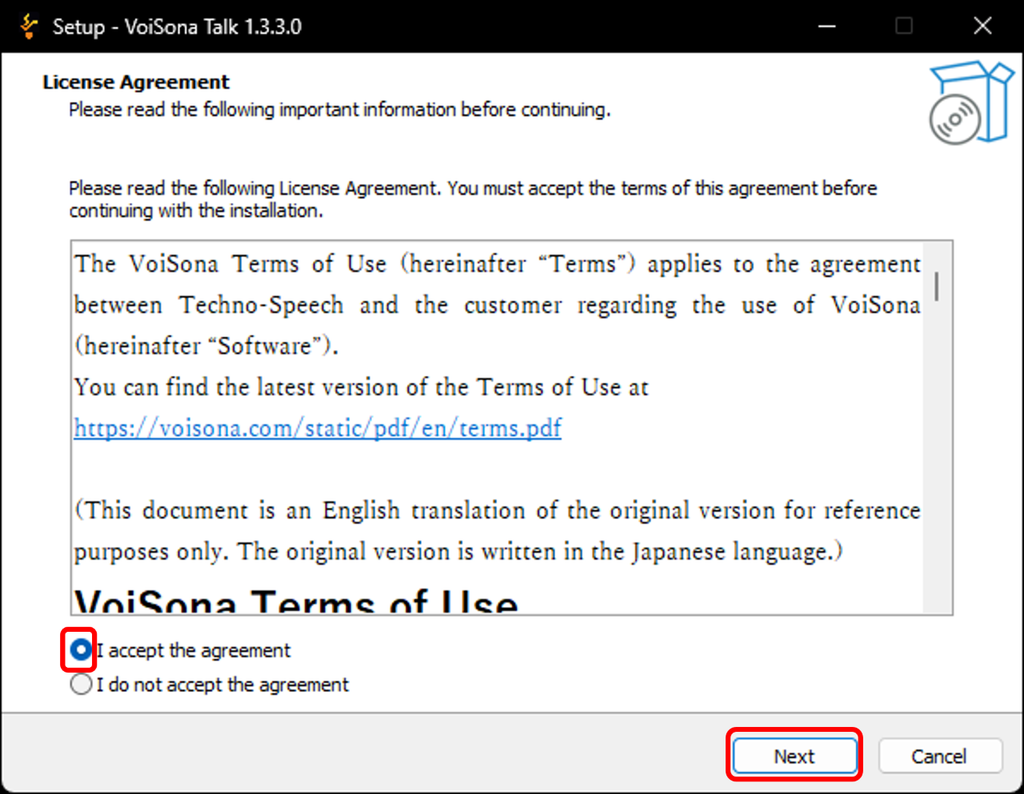
- Read the license agreement. If you agree, check "I accept the agreement" and click "Next".
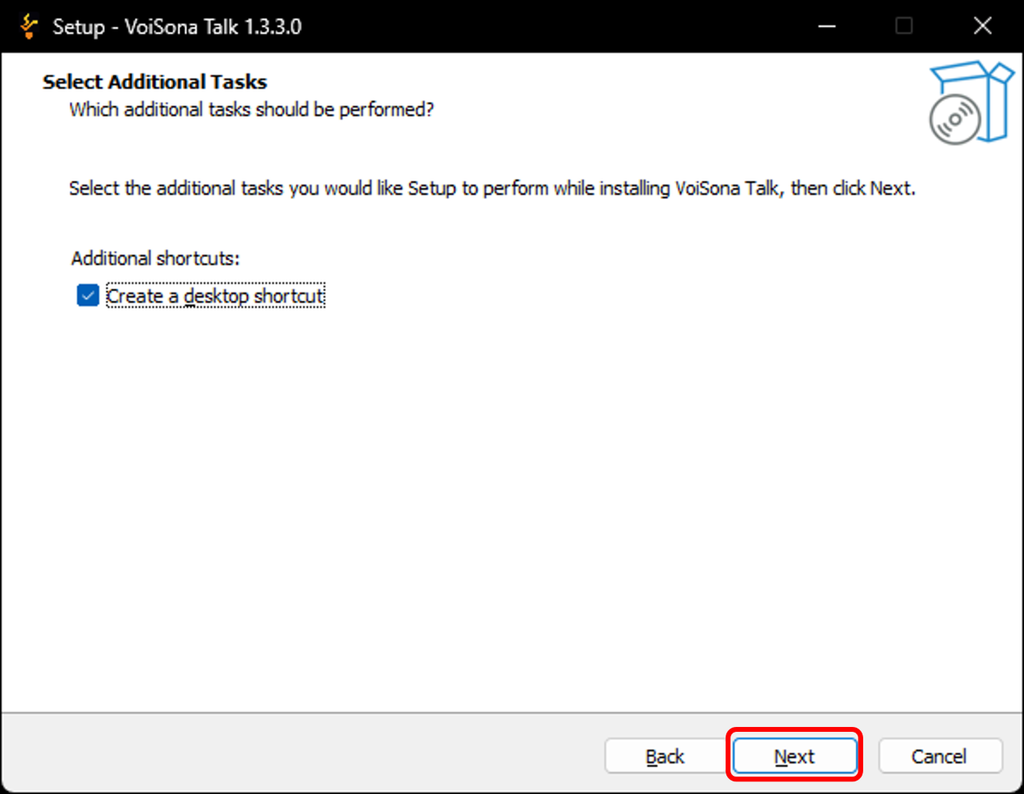
- To create a desktop icon, check the box and click "Next".
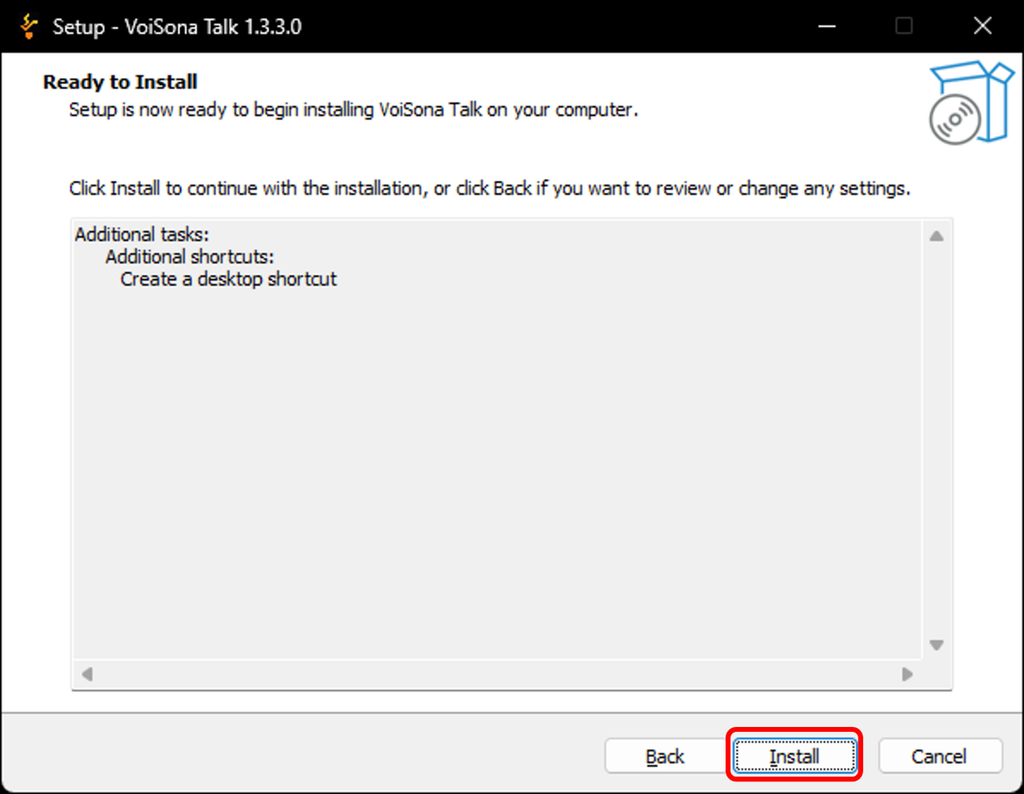
- Click "Install". Installation starts.
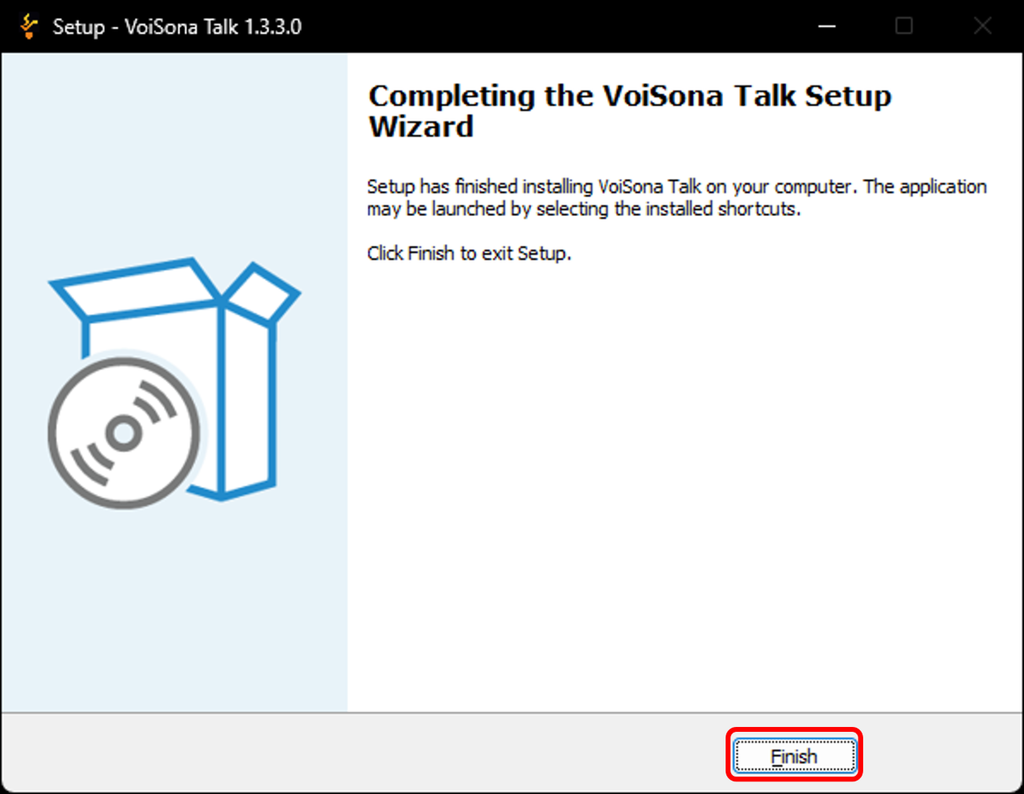
- When installation is complete, click "Finish".
Installation Folder
- Windows C:\Program Files\Techno-Speech
- macOS /Users/<User Name>/Library/Techno-Speech